Built for real conversations
Three people on a call read like a chat, not one unbroken paragraph — SubLive tells the voices apart as they speak.
A single running line of captions works fine for one voice. The moment a second person talks — a call, a panel, an interview — it turns into a wall of text with no way to tell who said what. Dialog mode splits it by speaker and labels each turn, live.
Free minutes after you confirm your email. No card required.
Subtitle mode
We should ship Friday. I think Friday's tight, let's aim Monday.▍
Dialog mode
Alex: We should ship Friday.
Priya: I think Friday's tight, let's aim Monday.▍
Three people on a call read like a chat, not one unbroken paragraph — SubLive tells the voices apart as they speak.
Prefer a single running line? Subtitle mode does that instead — swap between the two from the extension, mid-conversation if you want.
Google Meet, Zoom Web, a livestream, a podcast with two hosts — dialog mode does not care what is in the tab, only how many voices are in it.
In the popup, open Appearance and set Display to Dialog. It is already the default for new accounts. The subtitle window has the same switch, so you can change it in the middle of a conversation.
SubLive separates the voices as the audio plays.
Each turn starts with its speaker and keeps one colour for the whole conversation. You can scroll back, and a button takes you to the latest line.
Each turn starts with its speaker, so a call with three people reads like a chat. Each voice keeps its colour for the whole call.
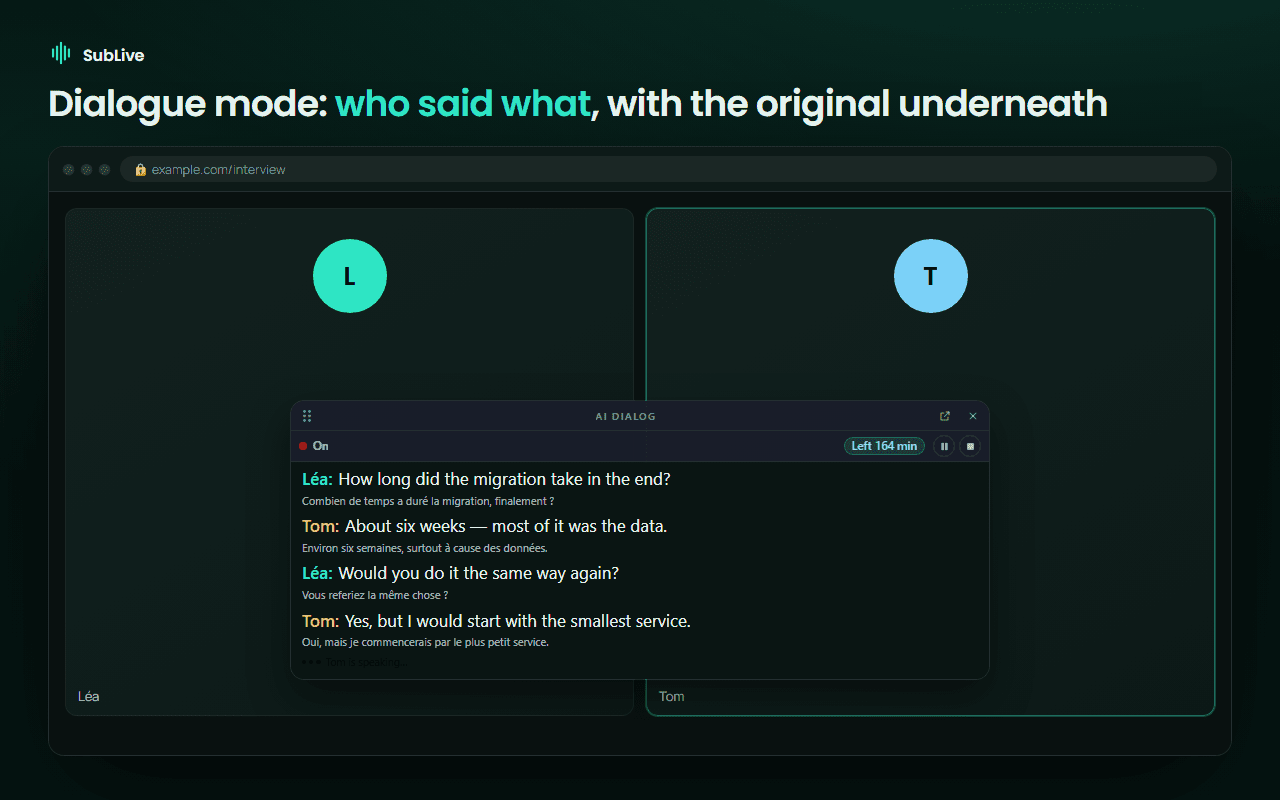
Speech recognition separates voices by sound; it does not know names. On Google Meet, Microsoft Teams, Zoom in the browser and Jitsi, SubLive watches which participant’s tile lights up while each voice speaks and puts the name on the voice when the match is clear. When it is not clear, the voice stays a number. Names live on your screen only: they are not sent to the server and not saved in the transcript.
In a weekly sync with colleagues in Warsaw, Madrid and Kyiv, a single running line pastes a reply onto the end of someone else’s sentence. In dialog mode the same minute reads as three short turns, each with its speaker, so you can see at a glance that the date was proposed by one person and questioned by another.
How dialog mode compares with the speaker names in Google Meet’s own captions is covered in Google Meet translation: built-in captions, speech translation and a Chrome extension.