Captions in your own language
When people speak the language you read, their words appear as they were said, with no translation in between. Speech in another language is translated into yours.
Any Chrome tab that plays sound can get live captions: a call in Google Meet, a lecture, a video without subtitles. Speech already in your language is shown as recognised, without a translation step, so SubLive works as plain live captions as well as a translator. How the captions look is up to you.
Kilka minut gratis po potwierdzeniu adresu e-mail. Bez karty.
Default
Let me share my screen and walk you through the numbers.
Large, high contrast
Let me share my screen.
Split by speaker
Anna: Can everyone see my screen?
Mark: Yes, go ahead.
When people speak the language you read, their words appear as they were said, with no translation in between. Speech in another language is translated into yours.
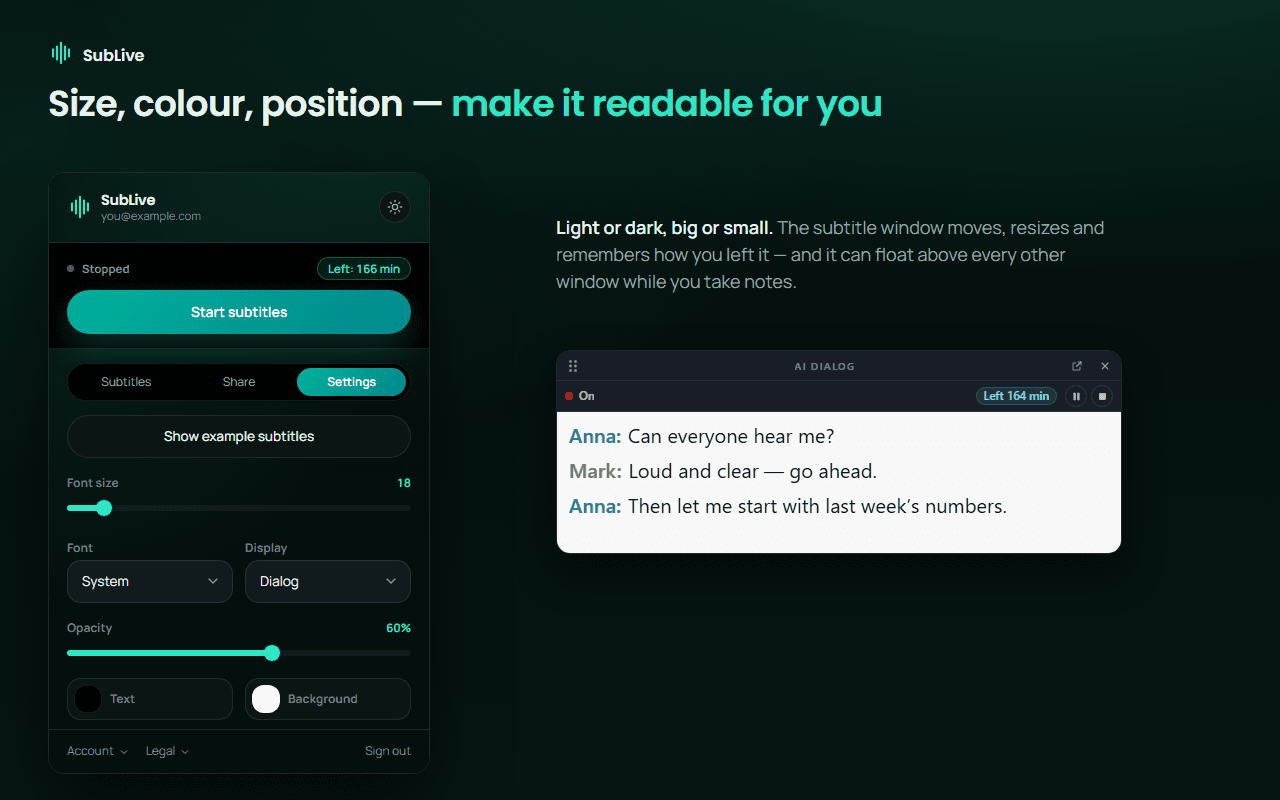
Font, size, text and background colour, opacity, line height and the number of lines are all yours to set. The window can be dragged and resized to sit wherever your eyes already are.
Dialog mode gives each voice its own colour and label, so a three-way call reads like a chat instead of one long paragraph.
Open the extension settings and show the example subtitles. The window fills with sample lines, and every change to size, font, colours or opacity applies to them at once, so the setup is done before a real call starts.
The subtitle window floats above other windows, which matters when the call runs in one window and your notes in another. It remembers its size and position for next time.
Large text makes the extension window and the buttons of the subtitle window bigger. Those buttons grow to 32 pixels, above the 24-pixel minimum that WCAG 2.2 sets for targets you click. The captions keep their own size setting, so the buttons can be large and the text larger still.
Once the subtitle window is wide enough, each button also carries a word under its icon: voice, microphone, pause, stop.
Compact window
Large text
The subtitle window announces every finished line to your screen reader. Lines still being translated are left out, because a sentence that changes word by word would be read again and again on top of the speech you are trying to follow.
In the extension window, status changes are announced as they happen and errors as alerts. Buttons that show only an icon still have a spoken name.
Reading for an hour is tiring, and with low vision small text on screen may not work at all. SubLive can read the translation aloud while the tab's own sound gets quieter. The browser voice is free; the AI voice sounds more natural.
Subtitles stay on screen while the voice speaks, and the line being read is highlighted.
Reading only just keeps up with speech
Words per minute: the average speaking rate in phone conversations, and how fast adults read English, their native language, silently.
Reading in a second language is slower, and captions share your eyes with the picture.
Źródła: Liberman, speaking rates in 5,850 phone conversations of the Fisher corpus (2005); Brysbaert, How many words do we read per minute? Journal of Memory and Language (2019)
The extension itself comes in 61 languages, including Arabic, Hebrew and Persian, which it lays out right to left. Its language is set apart from the language you translate into, so a Ukrainian reading English captions still gets the menus in Ukrainian.
The World Health Organization estimates that over 1.5 billion people live with some degree of hearing loss, and that 430 million of them need rehabilitation for disabling hearing loss. Vision impairment, near or distant, affects at least 2.2 billion people.
Hearing and vision loss worldwide
Estimated number of people, in millions.
The groups overlap and are counted with different thresholds, so they do not add up.
Źródła: WHO, Deafness and hearing loss fact sheet (2026); WHO Director-General at the launch of the World Report on Hearing (2021); WHO, World report on vision (2019)